

The Mac Mini M4 Has No USB-A Ports. Here's How to Deal With It.
Von Doxmini Team
The M4 Mac mini has zero USB-A ports. As TechRadar put it: "Apple, I'm not ready to move on from USB-A yet." Same.
Here's what you're working with and how to solve it.
What Ports You Actually Get
Front: 2x USB-C (USB 3, 10Gbps) + 3.5mm headphone jack
Rear: 3x Thunderbolt 4 (or Thunderbolt 5 on the Pro model) + HDMI 2.1 + Gigabit Ethernet + power
That's it. No USB-A anywhere. No SD card slot. If you have a USB-A keyboard, mouse, external drive, or audio interface — you need something extra.
One Thing to Know First
There's a documented issue where USB-A devices connected through adapters on the rear Thunderbolt ports can disconnect intermittently. If you're using a USB-C to USB-A adapter, plug it into the front ports instead. Those have been more reliable.
Your Options
The $10 fix: A simple USB-C to USB-A adapter. If you only have one or two USB-A devices, this is all you need. Seriously. Don't overthink it.
The $30–60 hub: A USB-C hub gives you multiple USB-A ports plus usually an SD card slot. Good middle ground if you have a few legacy peripherals. Sits on your desk with a cable running to the Mac mini.
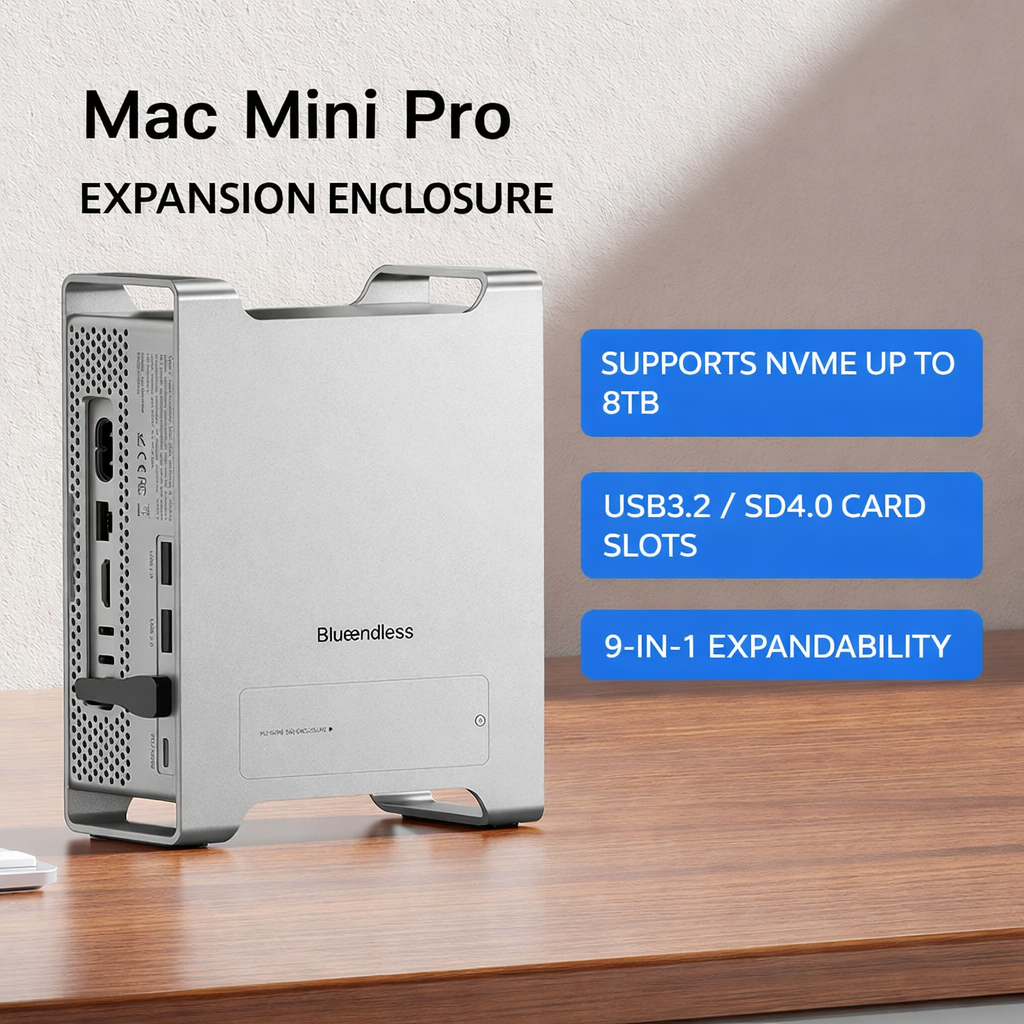
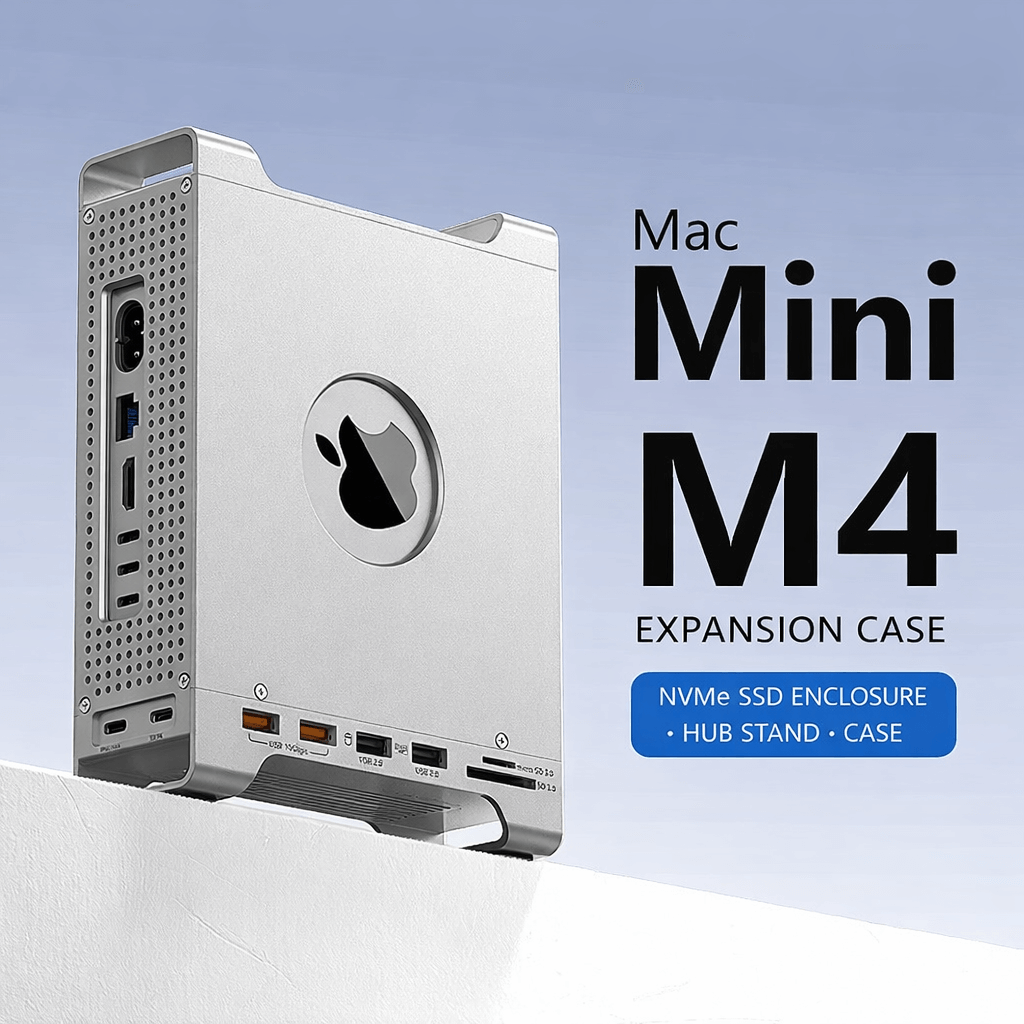
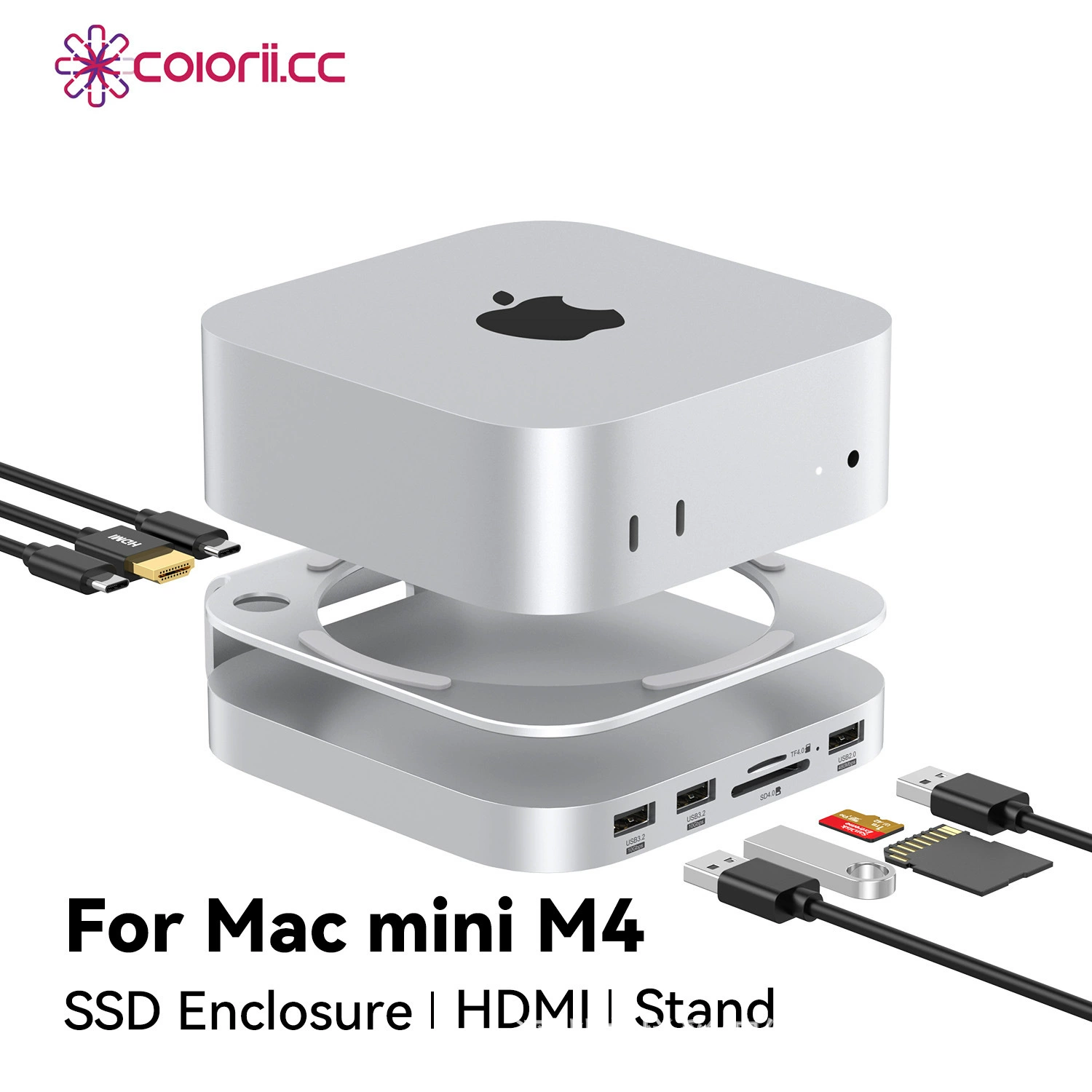
The integrated solution: An expansion stand or case that your Mac mini sits on or in, adding ports while keeping your desk clean. No extra cables dangling. Ours start at $94.90 and include NVMe storage expansion alongside the port additions — solving two problems at once.
The Practical Advice
Most people end up in one of two camps:
- "I just need one USB-A port" — Buy a $10 adapter and move on with your life.
- "I need multiple ports and my desk is a cable mess" — An expansion dock is worth it for the cleanup alone.
If you're in camp two, here are three options that add USB-A ports while keeping things clean:
 |
 |
 |
|---|---|---|
| Expansion Enclosure ($94.90) | Expansion Case ($96) | SSD Stand Hub ($166) |
| USB 3.2 (10Gbps), SD4.0, NVMe up to 8TB | USB 3.2 Gen2 ×2 (10Gbps) + USB 2.0 ×2, SD3.0/TF3.0 | USB 3.2 ×2 (10Gbps), HDMI 4K@60Hz, SD4.0/TF4.0 UHS-II, M.2 NVMe/SATA |
All three run at USB 3.2 Gen2 (10Gbps, ~1,000 MB/s) — fast enough for file transfers, backups, photo imports, and everyday peripherals. If you need Thunderbolt 4 speeds (40Gbps) for pro video or maximum NVMe throughput, you'll want a dedicated TB4 dock from CalDigit, OWC, or Acasis instead.
Don't buy more than you need. But if you're constantly swapping adapters or your desk looks like an IT closet, an integrated solution saves a lot of daily friction.