

Popular & Useful 3D-Printed Accessories for Mac Mini M4 | Series 2
Par Doxmini Team
Series 1 was all about fun and creative cases. This time, we're going practical.
If you read Series 1, you know the 3D printing community has gone wild with creative enclosures for the M4 Mac mini. But creativity is only half the story — some of the most downloaded prints on MakerWorld aren't flashy at all. They're simple, elegant solutions to real problems that every Mac mini owner faces.
The biggest one? That power button on the bottom. Apple, we love you, but why?
Here are the most popular and genuinely useful 3D-printed accessories for the M4 Mac mini. These are the prints that thousands of people are downloading, printing, and using every single day.
1. Under-Desk Mount -- Reclaim Your Desktop Real Estate
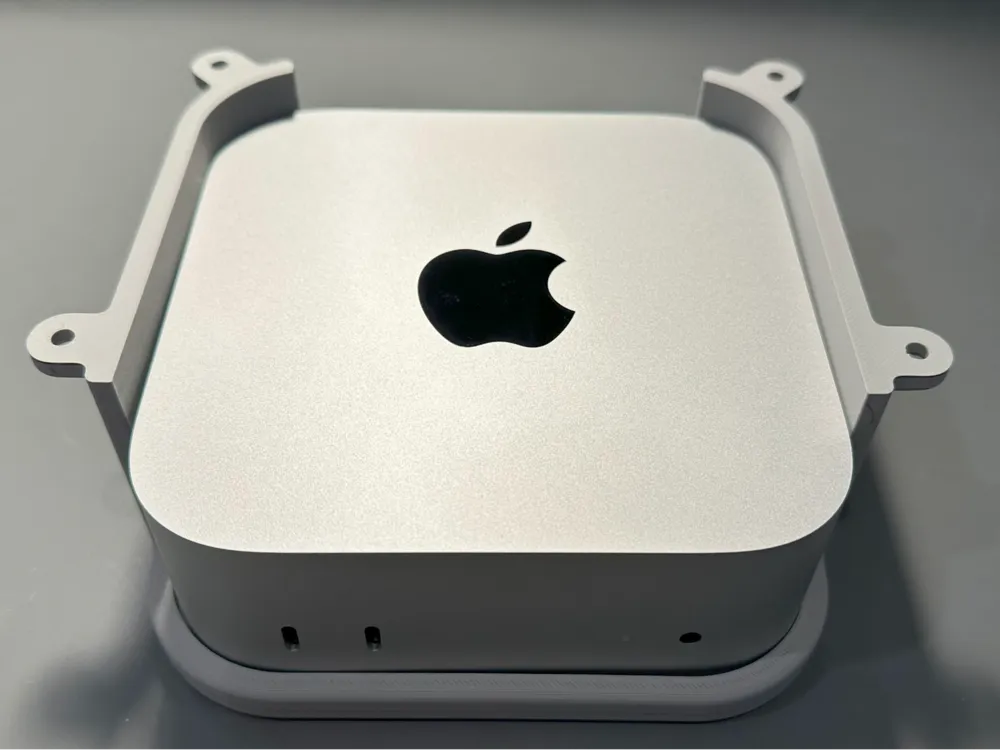
Designer: theHunsra Vibe: "Out of sight, out of mind — but always within reach."
This is the ultimate minimalist upgrade. The under-desk mount tucks your Mac mini completely out of sight beneath your desk, freeing up valuable surface space. But unlike cheap generic mounts, this one is designed specifically for the M4 Mac mini's dimensions.
Why people love it:
- Full port access — all front and back ports remain completely accessible
- Smart power button placement — designed so you can still reach the button without contorting
- Easy removal — slide the Mac mini in and out without unscrewing the mount
- Simple hardware — just needs #6 or #7 flat-head wood screws to attach to your desk
- Pairs perfectly with a wireless keyboard and trackpad for a truly cable-free desk
If you're running a dual-monitor setup and your desk space is at a premium, this print is a game-changer. Your Mac mini vanishes, but your workflow doesn't skip a beat.
2. The Seesaw Power Button -- An Ingenious Mechanical Solution

Designer: danielha2058 Vibe: "Simple physics, elegant solution."
This is one of those designs that makes you say "why didn't Apple just do this?" It's a seesaw mechanism that sits under your Mac mini. Press down on one end of the seesaw from the top, and the other end presses the power button underneath. No electronics, no springs — just pure, satisfying mechanical leverage.
What makes it clever:
- Seesaw mechanism — press the top, the bottom pivots to hit the power button
- No modification needed — nothing attaches to the Mac mini itself
- Zero moving parts to break — it's just a lever and a fulcrum
- Quick print — small, simple design that prints fast
- Works with the standard Mac mini M4 form factor
It's the kind of solution that's so simple it's almost frustrating. A tiny printed lever solves what Apple's industrial design team apparently couldn't be bothered with.
3. The Press-From-Top Base -- Community Favorite with 1,100+ Downloads
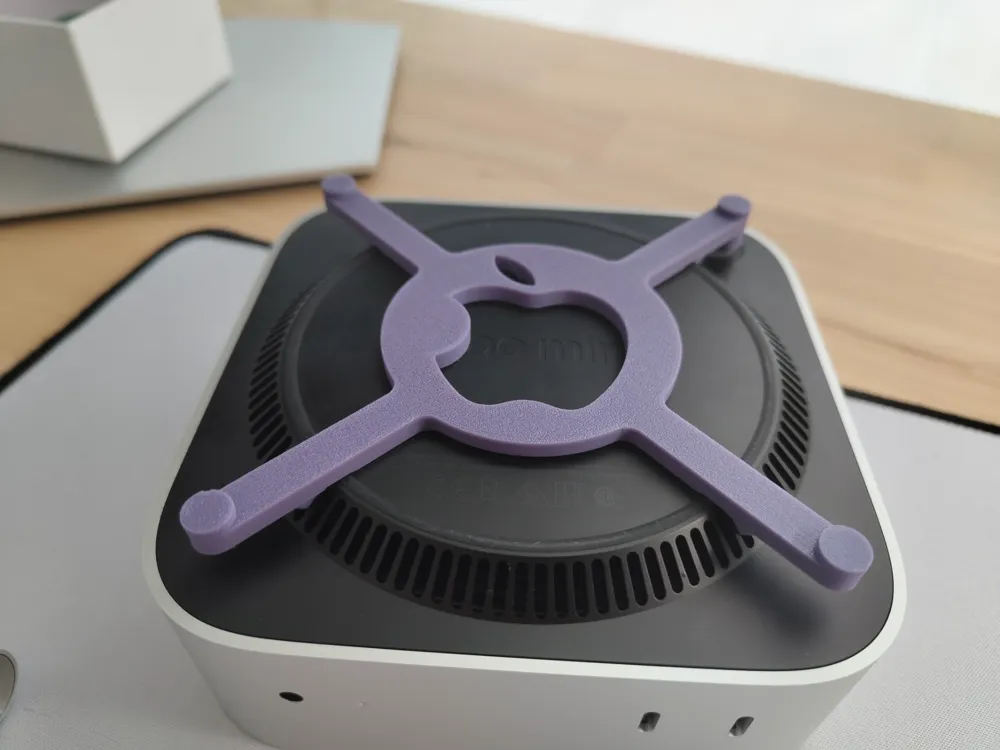
Designer: sagat (@sagatxxx) Vibe: "Just press lightly on the upper left. Done."
This is the most popular power button solution on MakerWorld, and the numbers speak for themselves: 1,100+ downloads, 890 collections, 114 comments, and a 4.6-star rating from 87 reviews. When a print has that kind of engagement, you know it works.
The concept is beautifully simple: a base that sits under your Mac mini with a built-in mechanism that transfers a press from the top surface down to the power button. No need to lift, tilt, or fumble — just press lightly on the upper left corner and you're done.
Why it's the community's top pick:
- 29-minute print time — one of the fastest useful prints you'll ever do
- Single plate, no supports — literally download and print
- Massive community validation — 114 comments of real-world feedback
- Designer actively responds to comments and maintains the design
- Multiple 5-star reviews praising the fit and function
Important tip from the community: Print this in PETG, not PLA. Multiple users reported that PLA warps over time from the Mac mini's heat. As @NetYaroze87 put it: "printed at 0.6. it works good but not in PLA! PLA is deforming with Mac mini heating. I reprinted it in PETG and it works absolutely perfect!"
4. Base with Power Button Cutout -- No-Fuss Engineering
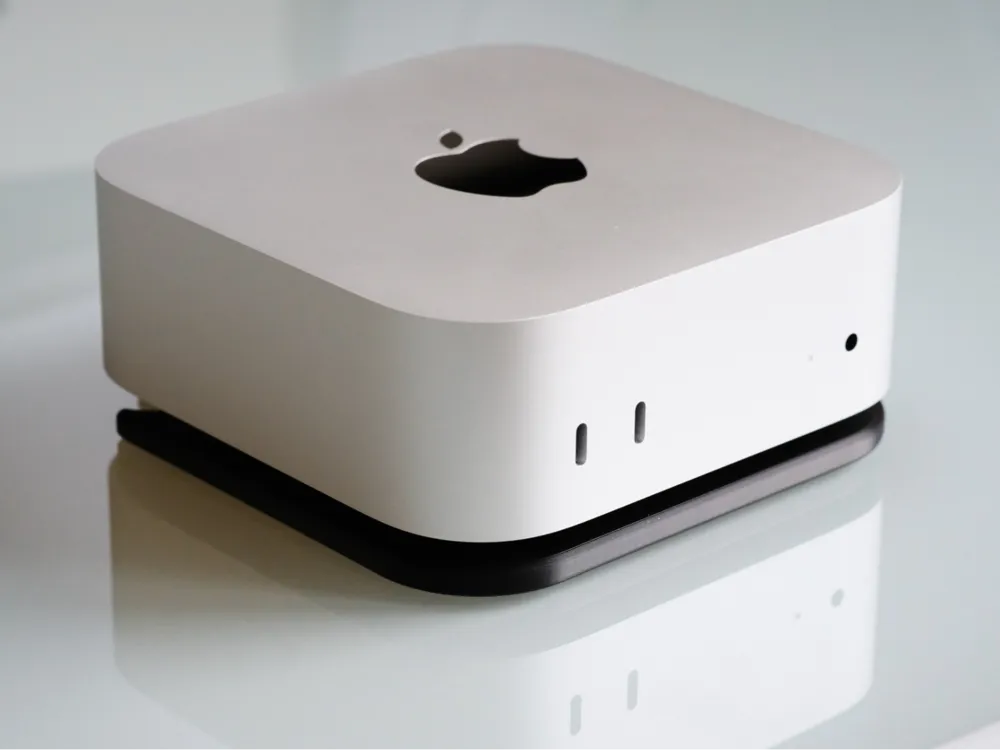
Designer: Friese (@unlesbar) Vibe: "No fuss. Just works."
Where other power button solutions add a mechanism on top, Friese took the opposite approach: just cut a hole in the base where the button is. Simple as that. The Mac mini sits in a precisely fitted tray with a cutout that exposes the power button from below, so you can reach in and press it directly.
What makes it stand out:
- 1,100+ downloads and 661 collections — neck and neck with the top pick
- Two print profiles: 0.12mm (fine) and 0.16mm (faster) — both tested and rated
- 4.7-star and 4.9-star ratings across the two profiles — users love the precision
- Minimal ventilation impact — the base recess is only ~0.5mm, so airflow stays unobstructed
- 99 comments of real-world feedback and community modifications
One user (@therdan) even modified the design to split it into two parts with an NVMe drive slot in the bottom — proof that a clean, simple base design invites creativity. Another user (@zekekottwitz) wrote: "Whoever designed this needs to be hired by Apple immediately. It's simple, it works, and it fixes one of the most annoying things about the Mac mini."
5. The Ventilated Stand -- Airflow Meets Elegance
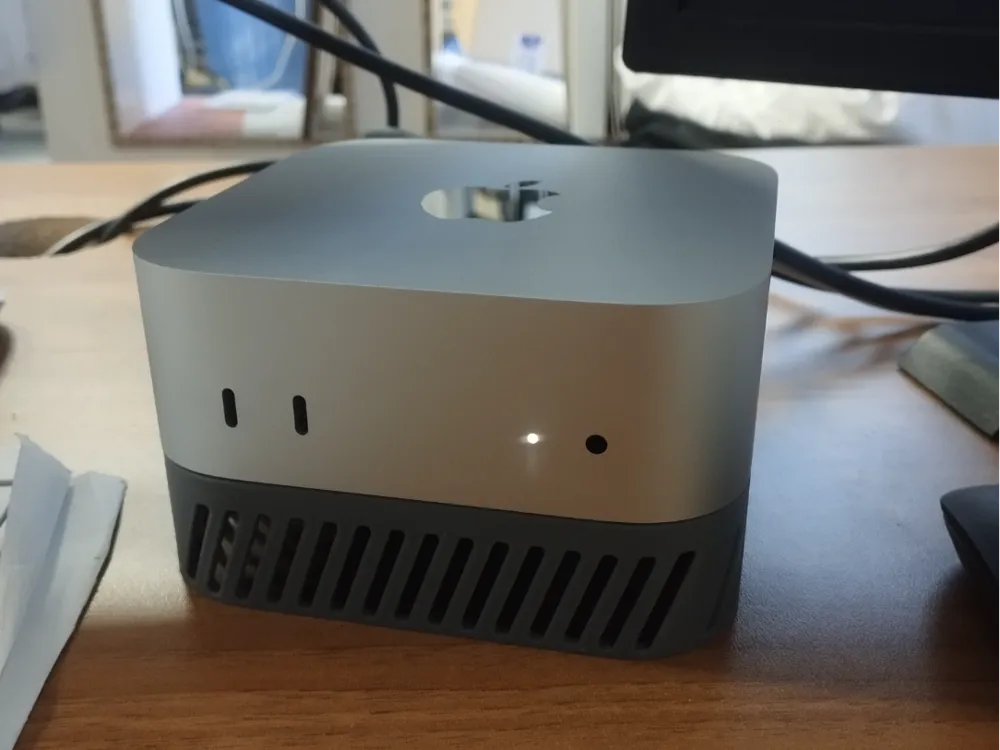
Designer: Lefty Props (@leftyprops) Vibe: "Form, function, and fresh air."
This stand tackles two problems at once: power button access and thermal management. It elevates the Mac mini on a platform with ventilation holes on all four sides, improving airflow underneath while also providing easier access to the power button.
Why it's worth printing:
- Perfect 5.0-star rating from 41 reviews — one of the highest-rated Mac mini accessories on MakerWorld
- 889 downloads and 559 collections — steadily growing
- Ventilation holes on all four sides — promotes better airflow under the Mac mini
- 1.9-hour print on a single plate — reasonable for the size and utility
- Users report it prints beautifully in PLA silk+ for an Apple-matching silver finish
The community has already started modifying this one too — users are adding holes to store external SSDs underneath, and someone even shared a TinkerCad remix with cable routing cutouts. As one reviewer put it: "It looks truly elegant."
The Power Button Problem -- A Quick Summary
Three of the five prints in this list exist solely because Apple put the power button on the bottom of the Mac mini. Let's compare the approaches:
| Solution | Approach | Print Time | Rating |
|---|---|---|---|
| Seesaw Button | Mechanical lever under the mini | Quick | - |
| Press-From-Top Base | Built-in transfer mechanism | 29 min | 4.6★ (87) |
| Power Button Cutout | Hole in base to expose button | ~1.3 h | 4.7★ (68) |
My recommendation? If you want the fastest print, go with sagat's Press-From-Top Base — 29 minutes and done. If you want the cleanest look with the best ratings, go with Friese's Power Button Cutout. Both work great.
Print Tips for Functional Accessories
Unlike decorative prints, functional accessories need to be precise and durable:
| Setting | Recommended |
|---|---|
| Material | PETG (strongly recommended over PLA for heat resistance) |
| Layer Height | 0.12-0.2mm (finer layers = better fit) |
| Infill | 15-20% (functional strength) |
| Walls | 2-3 perimeters |
| Supports | Usually none needed for these designs |
Critical reminder: The Mac mini generates heat, especially under sustained workloads. PLA will warp over time sitting next to a warm machine. Use PETG for anything that touches or sits directly under the Mac mini. The community has learned this the hard way — don't repeat their mistakes.
Series 3 Is Here!
Running multiple Mac minis? Check out Series 3: Stacking & Rack Solutions for Multi-Mac-Mini Setups — featuring miniature server racks, chainable stands, and modular frames for your distributed AI cluster, render farm, or CI/CD pipeline.
All models featured are free to download for personal use. Always check individual model licenses before commercial use. Links and stats were verified at time of writing.
Missed Series 1? Check out our roundup of fun and creative 3D-printed cases and stands.